
Create the link
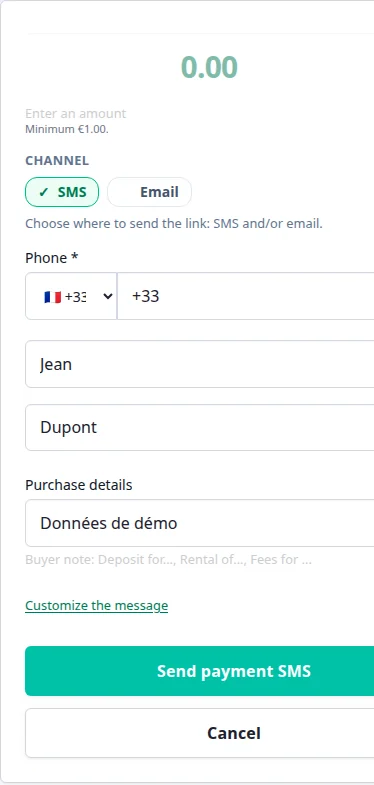
Enter the amount, customer, reason and sending channel.
How it works
PayLinker helps you create a payment link, send it at the right moment, and get paid before a booking, a visit, an arrival or a delivery. Your customer pays on Stripe and you track the result in real time.
Real demo of the app with prefilled access and no account creation needed.
The flow is simple
Create the link, send it by SMS or email, let the customer pay, then track the result instantly.
Flow illustration
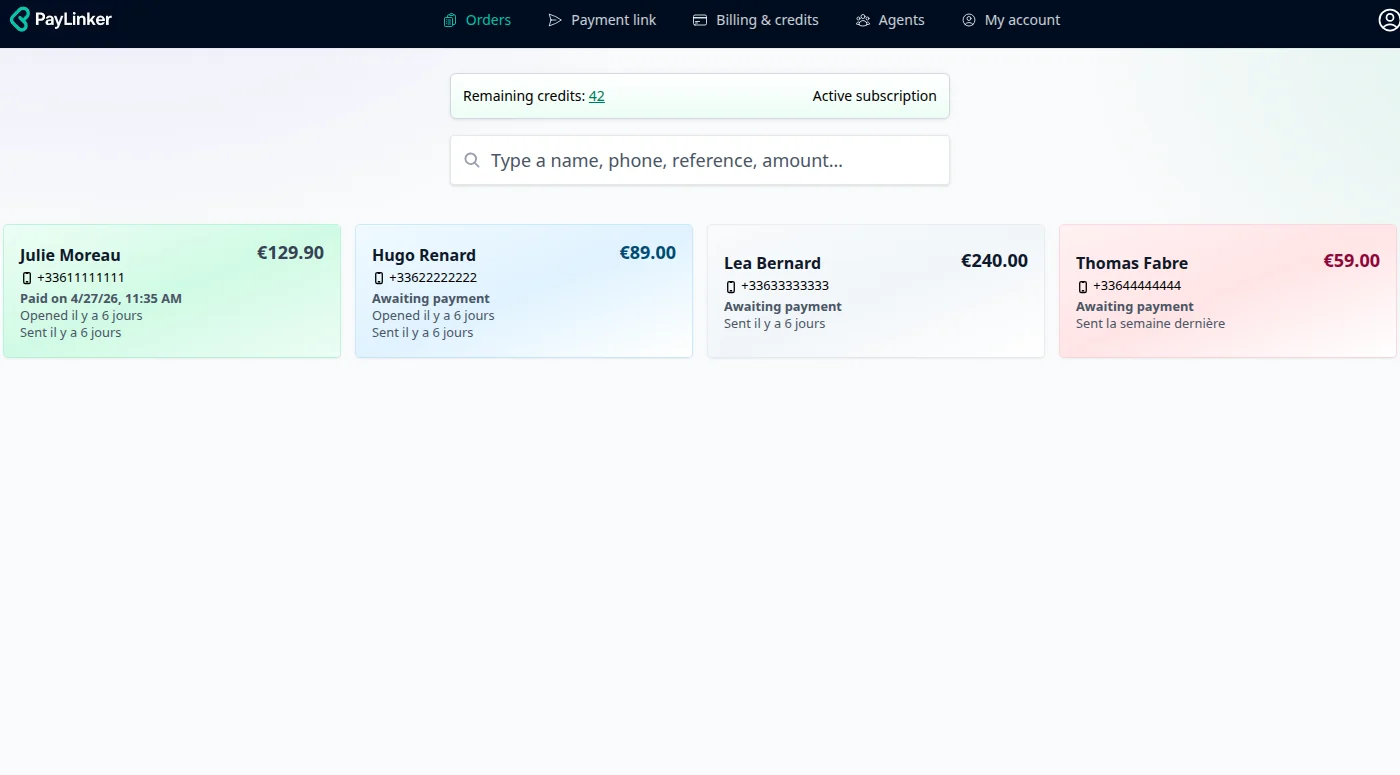
The how-it-works page now shows the real interface: link creation, sent requests, payment status and confirmation.
Enter the amount, customer, reason and sending channel.
Every request shows its status: sent, opened, pending, paid or expired.
When the customer pays, the seller gets a confirmation and keeps clear proof.
Three real flows
PayLinker keeps the same logic: prepare the request, give the customer a clear flow, then track the status in your workspace.
Enter the amount, customer and purchase details. PayLinker sends a secure link by SMS, email or both.
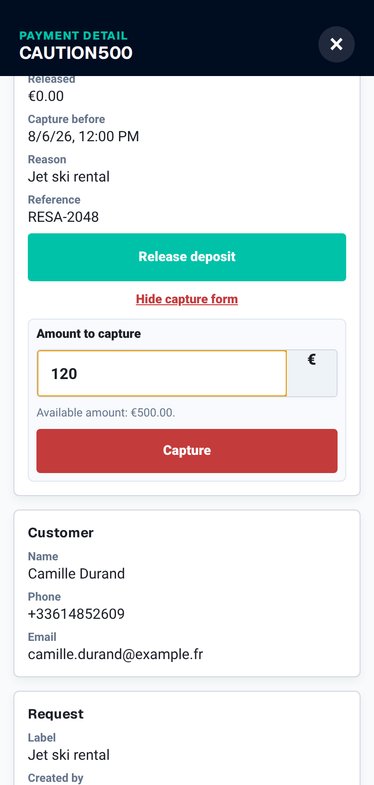
The customer authorizes the amount by card through Stripe. The authorization expires automatically after a period, 7 days by default, and PayLinker shows the exact date after payment.
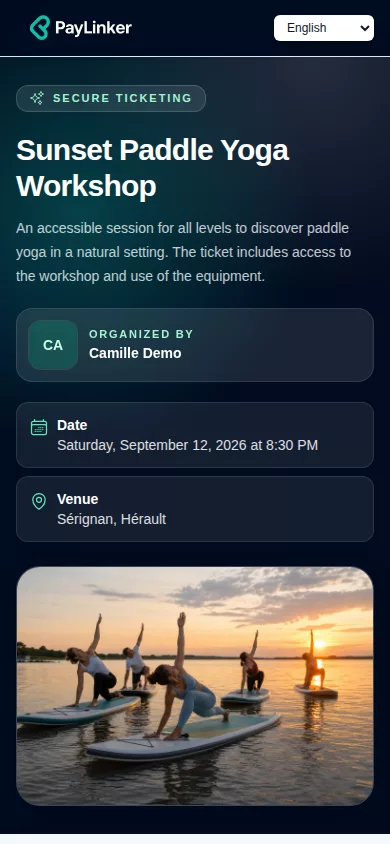
Create an event, publish a sales page, collect ticket payments online and check entries with the QR-code scanner.
From Stripe setup to confirmed payment, the flow is designed to reduce cancellations and follow-ups.
Add your identity details, bank account and payout settings so Stripe can process your payments securely.
In PayLinker, set the amount and purpose: deposit, booking fee, security deposit authorization, remaining balance or full payment.
Add agents so your team can create, send and track payment requests inside the same organization.
They receive a clear message with a secure link. No account is needed on their side.
The customer pays online on mobile or desktop, using a card or digital wallet.
As soon as payment is completed, you get a confirmation and the request status switches to paid.
Funds are paid out directly to your bank account via Stripe. No extra middleman, no opaque delays.
Card or wallet — payment takes about a minute, no account needed.
Secured by Stripe. PayLinker never stores card details.

Customers can pay instantly: Card or wallet — payment takes about a minute, no account needed.. Secured by Stripe. PayLinker never stores card details.
What changes once you use payment links
Businesses that depend on bookings, visits, rentals or advance payments.
Follow an SMS link from creation to confirmed payment, subtitles enabled.
Open the live demo without creating an account. See what your customer sees, how the payment is sent, and how you track it once it is paid.
A payment link helps professionals get paid remotely without a card terminal. Set the amount, add a short description (deposit, booking, service), then generate a secure link to send to your customer.
Enter the amount and clearly state what it is for: deposit, remaining balance, booking, service, rental, etc. Clear wording reduces confusion and improves completion rates.
A deposit helps secure appointments and bookings, especially when last-minute cancellations disrupt your schedule.
Send the link by SMS, email, or both. Customers receive a clear message with direct access to the payment page.
Back to home: PayLinker. Plans: pricing.
The customer opens the link and pays online. A confirmation is sent after payment, providing clear traceability and reducing disputes.
Card terminals require hardware and do not fit every scenario (remote payments, bookings, deposits). Payment links are ideal when customers are not physically on-site.
Explore industries: sectors.
No. They receive a link and can pay online right away. The goal is to keep friction as low as possible.
Yes. Collecting deposits is one of the most common use cases.
A confirmation is sent and you can track the payment status, helping you stay organized.
Yes. You choose the best channel for each customer, or use both.
Yes. Payments are processed via certified payment infrastructure. Card data is not stored on your website.
Professionals offering services, appointments, bookings, rentals, or anyone needing a simple remote payment flow.