

01
Sent after confirmed payment
PayLinker generates and emails the tickets only after the payment has been confirmed by the backend.
Electronic ticket
Once payment is confirmed, the buyer receives an email containing the tickets in the order. Every place keeps its own QR code for admission.
Automatic email

PayLinker ticketing
Your tickets are confirmed
Sunset paddle yoga workshop
Standard ticket
Ticket #25
Customer : Camille Martin

Demo QR code
Duo ticket
Ticket #26
Customer : Camille Martin

Demo QR code
Standard ticket
Ticket #25
Demo QR code
01
PayLinker generates and emails the tickets only after the payment has been confirmed by the backend.
02
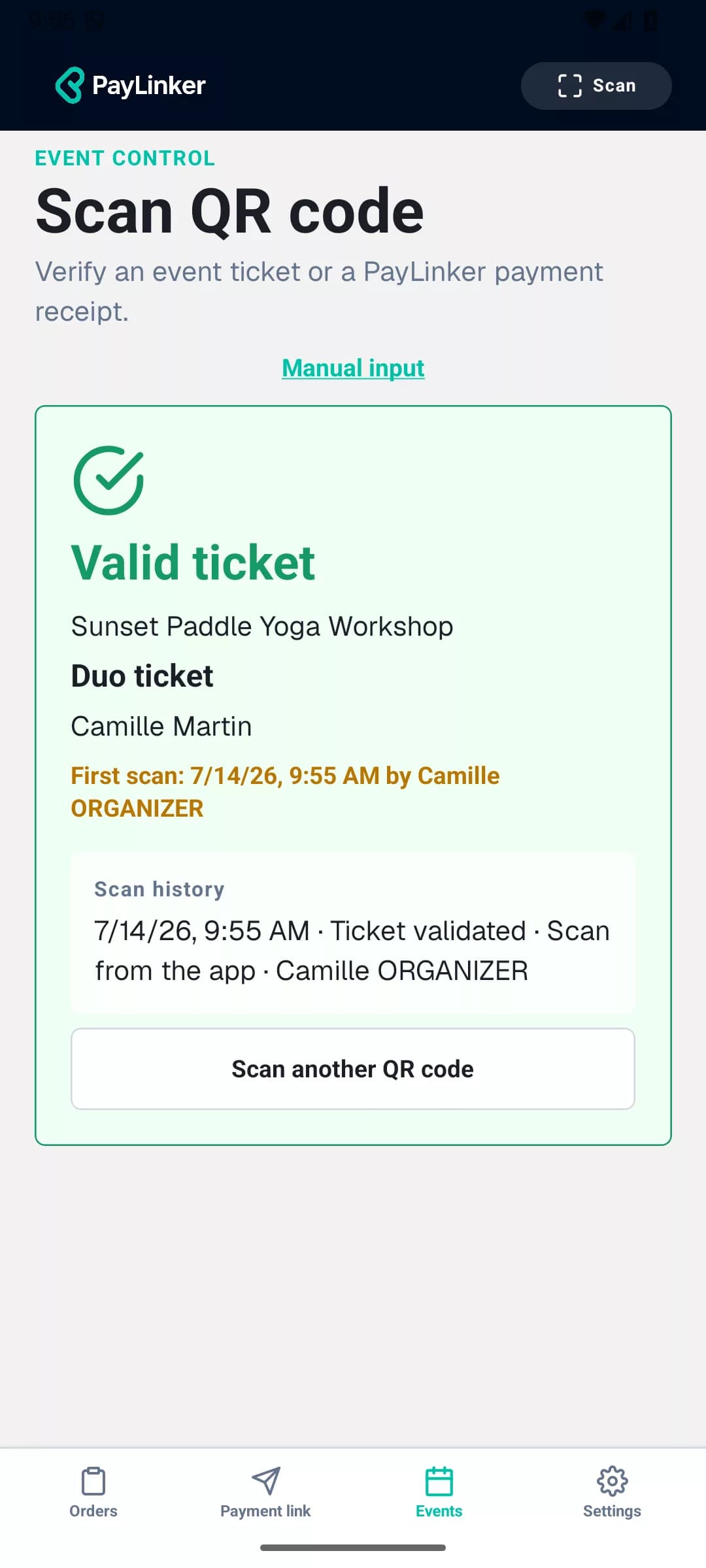
A buyer can receive multiple tickets in the same message while each attendee keeps a separate ticket and QR code.
03
The QR code identifies the individual ticket. Entry validation takes place in PayLinker rather than through a visual check alone.
04
An authorised operator can search by attendee name, email or ticket type and use manual validation when needed.
After payment, the buyer receives all tickets in one email. Each QR code is unique and can be checked in the PayLinker app.
Standard ticket
Ticket #25
PayLinker ticketing
Sunset paddle yoga workshop
Customer : Camille Martin
Demo QR code
Duo ticket
Ticket #26
PayLinker ticketing
Sunset paddle yoga workshop
Customer : Camille Martin
Demo QR code
Sample tickets: these QR codes do not grant entry to an event.
Yes. Each individual ticket has its own QR code.
Yes. Tickets from the same order can be grouped in one email while remaining individual.
The event team can search for the ticket and validate it manually from PayLinker.
Each confirmed purchase creates individual tickets that the event team can verify.